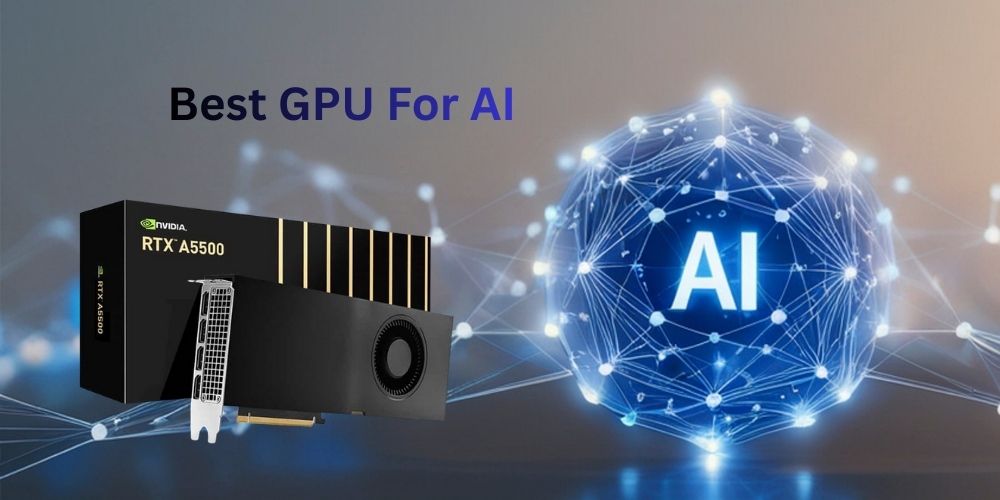
Best GPU for AI: The Ultimate Buyer’s Guide |
Artificial intelligence isn’t magic, even though it sometimes feels that way. Behind every smart chatbot, image generator, or recommendation engine is some very serious hardware doing the heavy lifting. At the heart of that hardware? The GPU. If you’re searching for the best GPU for AI, you’re already on the right track, because choosing the wrong graphics card can mean slower training times, wasted money, or bottlenecks that make you want to pull your hair out. The challenge is that there’s no single “best” GPU for everyone. A solo developer training small models at home has very different needs compared to a research lab training billion-parameter neural networks. Budget, power consumption, software compatibility, and scalability all play a role. Add marketing hype into the mix, and things get confusing fast.
This guide cuts through the noise. We’ll walk through how GPUs power AI, what specs actually matter, and which GPUs truly shine for machine learning, deep learning, and inference. By the end, you’ll know exactly which GPU fits your AI goals, without needing a PhD in hardware engineering.
Understanding Why GPUs Matter for AI
To understand why GPUs are so important for AI, imagine trying to fill a swimming pool with a single bucket versus using a hundred buckets at the same time. That’s essentially the difference between a CPU and a GPU. CPUs are fantastic at handling a few complex tasks quickly, while GPUs are built to handle thousands of simpler operations simultaneously.
AI workloads, especially deep learning, rely heavily on matrix multiplication and vector operations. These tasks are embarrassingly parallel, meaning they can be split into many smaller operations and processed at once. GPUs thrive here. With thousands of cores working in parallel, they can crunch massive amounts of data far faster than even the most powerful CPUs. This parallelism translates directly into faster training times. A model that takes weeks to train on a CPU might take days—or even hours—on a capable GPU. For businesses, that speed means faster experimentation, quicker iteration, and a competitive edge. For individuals, it means less waiting and more building.
How AI Workloads Use GPU Power
Not all AI tasks are created equal, and understanding how workloads use GPU resources helps you choose wisely. The two main categories are training and inference. Training is where the model learns, adjusting millions or billions of parameters. Inference is where the trained model is used to make predictions. Training is extremely demanding. It requires massive compute power, large amounts of VRAM, and high memory bandwidth. GPUs handle this by distributing calculations across thousands of cores while rapidly moving data in and out of memory. This is where high-end GPUs truly shine.
Inference, on the other hand, is usually lighter. The model is already trained, so the GPU’s job is to process inputs efficiently and produce outputs quickly. Here, power efficiency and latency matter more than raw brute force. Another key factor is memory. AI models are hungry. If your model doesn’t fit into VRAM, performance tanks as data spills into system memory. That’s why GPUs with higher VRAM are often preferred, even if their raw compute isn’t the absolute best.
NVIDIA GPUs: The Industry Standard for AI
There’s a reason NVIDIA dominates AI. Years of investment in hardware and software have created a tightly integrated ecosystem that’s hard to beat. From consumer GPUs to enterprise accelerators, NVIDIA offers solutions for nearly every AI use case. CUDA, cuDNN, TensorRT, and constant driver updates make NVIDIA GPUs the safest choice for most AI developers. Documentation is abundant, community support is massive, and compatibility issues are rare.
NVIDIA RTX Series for AI Developers:
For individual developers and small teams, the RTX series is often the sweet spot. GPUs like the RTX 3060, 4070, and 4090 offer excellent AI performance at relatively accessible prices. The RTX 3060, with 12 GB of VRAM, is a popular entry point. It’s capable of training small to medium models and is widely supported. The RTX 4090, on the other hand, is a beast. With massive compute power and 24 GB of VRAM, it rivals some older data centre GPUs at a fraction of the cost. For many, it’s the best GPU for AI without stepping into enterprise pricing.
NVIDIA A100 and H100 for Enterprise AI
When performance is everything, NVIDIA’s A100 and H100 dominate. These data centre GPUs are designed for large-scale training, multi-GPU setups, and continuous workloads. With features like NVLink, massive memory bandwidth, and advanced Tensor Cores, they power some of the largest AI models in the world. The downside? Cost and power consumption. These GPUs are overkill for most individuals but indispensable for enterprises.
When it comes to artificial intelligence, NVIDIA is still the undisputed leader. From solo developers training models at home to enterprises running massive data centres, NVIDIA GPUs power a huge percentage of the world’s AI workloads. The reason is simple: raw performance, excellent software support, and a mature ecosystem built specifically for machine learning and deep learning.
The Best Overall NVIDIA GPU for AI Developers
Below are the 3 best NVIDIA GPUs for AI, covering different needs, from high-end consumer setups to enterprise-grade training at scale.
1. NVIDIA RTX 4090:

The NVIDIA RTX 4090 is widely considered the best GPU for AI outside the data centre. While it’s technically a consumer graphics card, its AI performance is nothing short of extraordinary. For individual developers, researchers, and startups, the RTX 4090 often delivers the best performance-per-dollar available today. What makes the RTX 4090 special for AI is its massive compute power combined with 24 GB of GDDR6X VRAM. This allows you to train large models, experiment with bigger batch sizes, and run modern architectures like transformers without constantly hitting memory limits.
The latest-generation Tensor Cores significantly accelerate mixed-precision training, a standard practice in deep learning. Another major advantage is software compatibility. Every major AI framework—PyTorch, TensorFlow, JAX—runs flawlessly on the RTX 4090 with full CUDA and cuDNN support. Most tutorials, research codebases, and pre-trained models are optimised for NVIDIA GPUs, making the RTX 4090 extremely easy to work with.
2. NVIDIA A100:

The NVIDIA A100 is a true data centre-class GPU, designed specifically for large-scale AI training and high-performance computing. If you’re working in an enterprise, research lab, or cloud environment, the A100 remains one of the most trusted and widely deployed AI accelerators in the world. One of the A100’s biggest strengths is its flexibility. It supports a wide range of precision formats, including FP32, FP16, BF16, and INT8, making it suitable for both training and inference.
With up to 80 GB of HBM2e memory, it can handle extremely large models that would be impossible to fit on consumer GPUs. The A100 also supports NVLink, allowing multiple GPUs to work together as a single high-bandwidth system. This is crucial for the distributed training of large language models, computer vision systems, and scientific AI workloads. In environments where uptime, stability, and scalability matter, the A100 excels. While it’s far too expensive for most individuals, the NVIDIA A100 is still one of the best GPUs for AI training at scale and continues to power many state-of-the-art AI systems.
3. RTX 6000 Ada:

The NVIDIA RTX 6000 Ada Generation is a high-end professional GPU built for demanding AI, deep learning, and data science workloads. Based on the Ada Lovelace architecture, it delivers exceptional performance with 18,176 CUDA cores, fourth-generation Tensor Cores, and 48GB of ECC GDDR6 memory, allowing it to handle large datasets and complex neural networks efficiently. Support for FP8, FP16, INT8, and TF32 precision significantly accelerates AI training and inference, especially for transformer models, generative AI, and computer vision applications.
The RTX 6000 Ada is optimised for enterprise and workstation environments, offering excellent stability, reliability, and long-term driver support. Its large VRAM capacity makes it well-suited for running large language models locally, multi-model workflows, and advanced simulations. Combined with NVIDIA’s CUDA, cuDNN, and AI software stack, the RTX 6000 Ada provides a powerful and scalable solution for professional AI development.
AMD GPUs for AI: Are They Worth It?
AMD has made serious strides in AI hardware. Their GPUs offer impressive raw performance and competitive pricing. For those willing to invest time into configuration, AMD can deliver excellent results. ROCm has matured, and many popular frameworks now support AMD GPUs. However, compatibility still lags behind NVIDIA in some areas, particularly with niche libraries. If you value open-source ecosystems and want an alternative to NVIDIA, AMD is worth considering.
AMD Instinct GPUs for Machine Learning:
AMD’s Instinct series targets data centres and high-performance computing. GPUs like the MI250 and MI300 offer massive compute and memory capabilities. These GPUs are increasingly used in supercomputers and research institutions. While not as widely adopted as NVIDIA’s offerings, they demonstrate AMD’s commitment to AI acceleration.
The Most Powerful AMD GPU for AI
1. AMD Radeon™ AI PRO R9700:

The AMD Radeon™ AI PRO R9700 is a professional-grade GPU built for advanced AI workloads, deep learning, and workstation environments. Launched with AMD’s RDNA 4 architecture, it features 64 compute units, 4,096 stream processors, and 32 GB of GDDR6 memory, ideal for handling large language models and complex AI inference locally without cloud dependency.
With up to ~96 TFLOPS of FP16 compute and ~1,531 TOPS of INT4 AI performance, the R9700 delivers strong acceleration for model fine-tuning, inference, and generative tasks. It supports scalable multi-GPU configurations and the ROCm software stack, enabling professional developers and researchers to build flexible AI systems on workstations. The large VRAM and high memory bandwidth help process larger models and datasets efficiently, making the R9700 a competitive alternative in the AI-focused GPU market.
2. AMD Instinct MI250X:
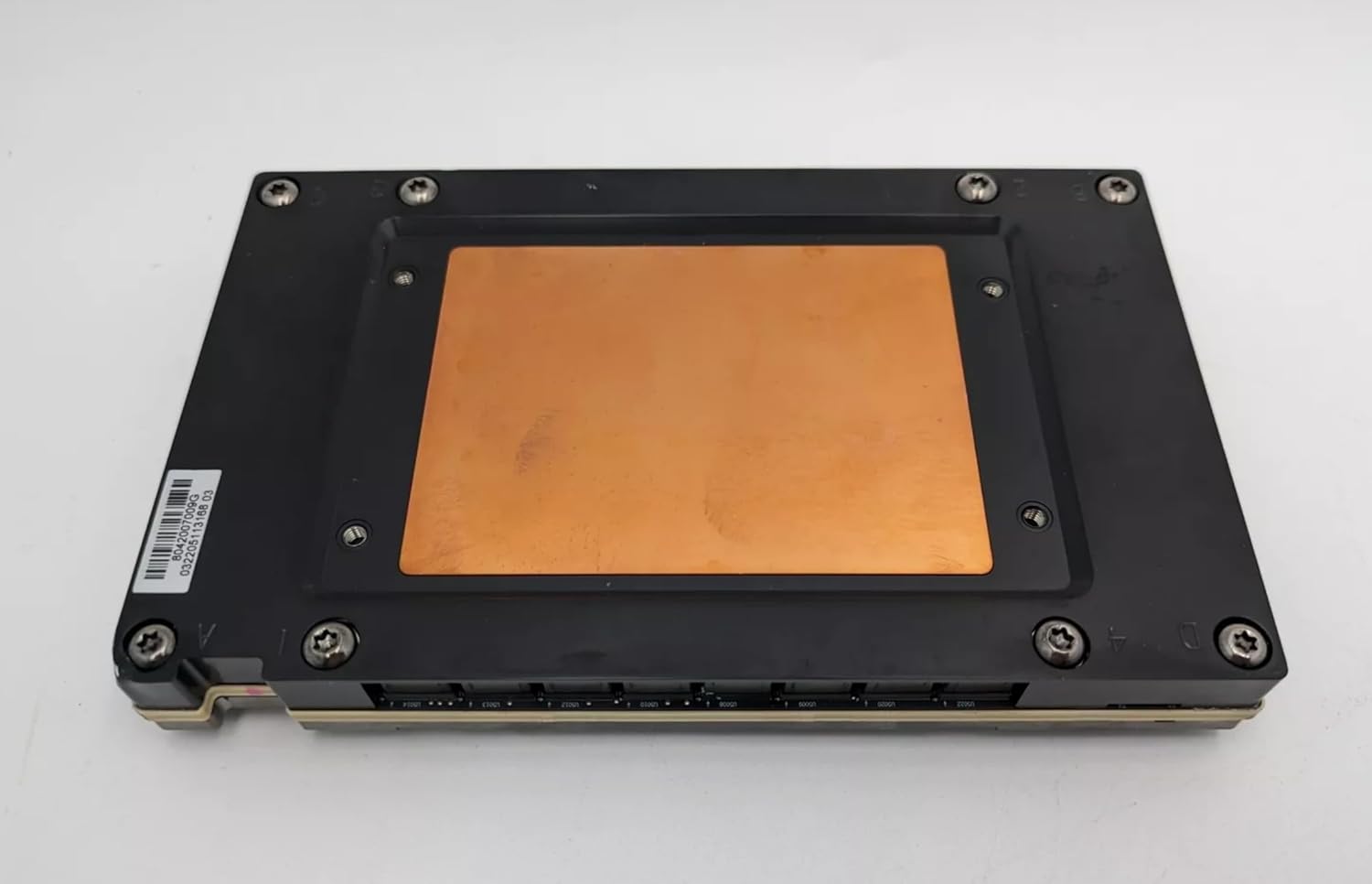
The AMD Instinct MI250X is a powerful accelerator that has already proven itself in real-world deployments. It powers some of the world’s fastest supercomputers and is widely used for AI training, scientific simulations, and high-performance computing. The MI250X features a dual-die architecture, effectively combining two GPUs into a single package. This design delivers impressive compute throughput and excellent memory bandwidth, making it well-suited for large-scale matrix operations and deep learning workloads.
With 128 GB of HBM2e memory, the MI250X can handle large AI models that would overwhelm most consumer GPUs. It also supports high-speed interconnects, enabling efficient scaling across multiple GPUs in cluster environments. Although ROCm setup can still require more hands-on configuration compared to CUDA, organisations that invest in AMD’s ecosystem often benefit from strong performance and competitive pricing at scale.
3. AMD Radeon RX 7900 XTX:

For developers who want to experiment with AI on a local machine, the AMD Radeon RX 7900 XTX is currently the most practical AMD consumer GPU for AI workloads. With 24 GB of GDDR6 VRAM, it provides enough memory for training medium-sized models, fine-tuning neural networks, and running inference locally. Its raw compute power is impressive, and for workloads that are well-optimised under ROCm, it can deliver strong AI performance.
The RX 7900 XTX is particularly appealing to developers who prefer open-source platforms and want an alternative to NVIDIA hardware. While some AI tools and libraries may require additional configuration, support for PyTorch on ROCm has improved significantly, making local AI development increasingly viable on AMD consumer GPUs. This GPU is not a drop-in replacement for NVIDIA in every scenario, but for budget-conscious developers willing to spend time on setup, it offers excellent value.
Key Factors to Consider When Choosing the Best GPU for AI
Before jumping into specific models, let’s talk about what actually matters. Marketing specs can be misleading, so focusing on the right criteria saves time and money.
1: Compute performance:
- This includes FP32, FP16, and INT8 performance, depending on your workload. Training large models often benefits from FP16 or BF16, while inference may rely more on INT8.
2: VRAM:
- This is a big one. More VRAM allows larger batch sizes and bigger models. For modern deep learning, 12 GB is often the bare minimum, while 24 GB or more is ideal for serious work.
3: Memory bandwidth:
- AI workloads constantly move data. High bandwidth ensures your GPU cores aren’t sitting idle, waiting for data.
4: Software compatibility:
- A powerful GPU is useless if your framework doesn’t support it well. This is where ecosystems like CUDA and ROCm come into play.
Balancing these factors is the key to choosing the best GPU for AI that fits your needs rather than chasing the most expensive option.
CUDA, ROCm, and AI Software Ecosystems:
Software support can make or break your AI experience. NVIDIA’s CUDA ecosystem is the gold standard. Most AI frameworks, TensorFlow, PyTorch, and JAX, are optimised for CUDA, and many tutorials assume you’re using an NVIDIA GPU. AMD’s ROCm ecosystem has improved significantly, offering open-source appeal and competitive performance in certain workloads. However, setup can be trickier, and not all tools work seamlessly out of the box. If you value ease of use, NVIDIA still holds the crown. If you’re comfortable troubleshooting and want to explore open alternatives, AMD can be a viable option.
Tensor Cores and AI Acceleration:
Tensor Cores are specialised hardware units designed specifically for AI workloads. Found in many NVIDIA GPUs, they accelerate mixed-precision operations that are common in deep learning. These cores can dramatically speed up training and inference without sacrificing accuracy, especially when using frameworks that support automatic mixed precision. In practical terms, Tensor Cores can mean finishing a training run in hours instead of days. When comparing GPUs, the presence and generation of Tensor Cores can be more important than raw core counts.
Consumer vs Enterprise GPUs for AI
Choosing the right GPU for artificial intelligence isn’t just about raw performance. One of the most important decisions is whether to go with a consumer GPU or an enterprise (data centre) GPU. Both can run AI workloads, but they are built for very different use cases, budgets, and expectations. Understanding the differences between consumer and enterprise GPUs for AI can save you money, reduce headaches, and help you scale more effectively.
What Are Consumer GPUs?
Consumer GPUs are graphics cards primarily designed for gaming, content creation, and general-purpose computing. Popular examples include NVIDIA’s GeForce RTX series and AMD’s Radeon RX series. Despite being marketed for gaming, modern consumer GPUs are extremely powerful and widely used for AI development. Their high core counts, strong FP16 performance, and growing VRAM capacities make them capable of handling many machine learning and deep learning tasks.
Key characteristics of consumer GPUs:
- Lower upfront cost
- High raw compute performance
- Limited VRAM compared to enterprise GPUs
- No ECC (error-correcting) memory in most models
- Designed for intermittent, not 24/7, workloads
For individuals, startups, and researchers, consumer GPUs often provide the best performance per dollar.
What Are Enterprise GPUs?
Enterprise GPUs, also known as data centre GPUs, are purpose-built for AI, machine learning, and high-performance computing in professional environments. Examples include NVIDIA A100, H100, and AMD Instinct GPUs. These GPUs are engineered to run continuously under heavy load and to scale across large systems. They prioritise reliability, memory capacity, and system integration over price.
Key characteristics of enterprise GPUs:
- Extremely large VRAM (often 64–192 GB)
- ECC memory for error detection and correction
- Optimised for 24/7 operation
- Advanced multi-GPU interconnects (NVLink, Infinity Fabric)
- Significantly higher cost
Enterprise GPUs are the backbone of large AI models, cloud platforms, and research supercomputers.
Performance Differences in AI Workloads:
In raw compute, high-end consumer GPUs can rival or even outperform older enterprise GPUs in certain tasks. For example, an RTX 4090 can outperform previous-generation data centre GPUs in FP16 training.
However, enterprise GPUs excel in sustained performance. They are designed to maintain peak speeds for long training runs without throttling. They also handle large models more efficiently thanks to their massive memory capacity and bandwidth.
In short:
- Consumer GPUs are great for experimentation and development.
- Enterprise GPUs dominate large-scale training and production inference.
Memory Capacity and Model Size:
One of the biggest practical differences is VRAM.
- Consumer GPUs typically offer between 8 GB and 24 GB of VRAM. This is enough for small to medium models, fine-tuning, and local inference.
- Enterprise GPUs, on the other hand, can offer 64 GB, 80 GB, or even over 190 GB of memory. This allows entire large language models to fit on a single GPU, reducing complexity and improving training efficiency.
If your model doesn’t fit in memory, performance drops sharply, making VRAM a critical factor in AI workloads.
Reliability and Stability:
- Enterprise GPUs are built with mission-critical workloads in mind. Features like ECC memory help prevent silent data corruption, which can be disastrous during long training runs.
- Consumer GPUs lack many of these safeguards. While they are reliable for personal use, they are not designed for months-long, nonstop workloads in production environments.
This is why cloud providers and enterprises almost always choose data centre GPUs.
Software Support and Licensing:
- Consumer GPUs often benefit from faster access to new features and driver updates. However, some enterprise software and virtualisation features are restricted to data centre GPUs.
- Enterprise GPUs also come with professional support, longer driver lifecycles, and better integration with server infrastructure.
Cost Considerations:
Cost is where consumer GPUs truly shine.
- Consumer GPU: Affordable, excellent performance-per-dollar.
- Enterprise GPU: Expensive, but optimised for scale and reliability.
For many startups, the cost of a single enterprise GPU could buy multiple consumer GPUs, offering more flexibility for experimentation.
Which Should You Choose?
Choose consumer GPUs if:
- You are an individual developer or a small team.
- You are experimenting, learning, or prototyping.
- Budget is a major concern.
- Downtime is acceptable.
Choose enterprise GPUs if:
- You train large models at scale.
- You need 24/7 reliability.
- You deploy AI in production environments.
- Memory capacity is a bottleneck.
Best GPU for AI Inference
1: RTX 4060:

The NVIDIA RTX 4060 is an entry-level GPU for AI workloads, offering CUDA cores, Tensor cores, and DLSS support. It handles small machine learning models, AI image generation, and inference tasks efficiently, making it suitable for students, hobbyists, and lightweight AI development.
2: NVIDIA T4:

The NVIDIA T4 is a data centre–focused GPU designed for AI inference and lightweight training. With Tensor cores, low power consumption, and strong performance in deep learning, it is widely used in cloud servers, virtual machines, and scalable AI deployment environments.
3: NVIDIA L4:

The NVIDIA L4 is a modern data centre GPU optimised for AI inference, video processing, and lightweight training. Based on Ada Lovelace architecture, it delivers high performance per watt, strong Tensor core acceleration, and efficiency for cloud AI workloads and scalable enterprise applications.
Best Budget GPU for AI Beginners
1: RTX 3060:

The NVIDIA RTX 3060 is a popular mid-range GPU for AI tasks, offering ample VRAM, CUDA cores, and Tensor cores. It supports deep learning frameworks well, making it suitable for training small to medium models, AI experimentation, and local development projects.
2: RTX 2080 Ti:

The NVIDIA RTX 2080 Ti remains a capable GPU for AI workloads, featuring powerful CUDA and Tensor cores. It supports deep learning training and inference for small to medium models, making it useful for researchers, developers, and AI enthusiasts using older yet reliable hardware.
Power Consumption and Cooling Considerations for AI GPUs
When building or upgrading a system for artificial intelligence, performance usually gets all the attention. However, power consumption and cooling are just as critical. Ignoring these factors can lead to throttled performance, system instability, higher operational costs, and even hardware failure. Whether you are running a single GPU at home or managing a multi-GPU AI server, understanding power and thermal requirements is essential.
GPU Power Ratings and Real-World Usage:
Manufacturers list a GPU’s TDP (Thermal Design Power), but real-world AI workloads often push GPUs beyond typical gaming scenarios.
- Consumer GPUs like high-end RTX cards can exceed their rated power under AI training loads.
- Enterprise GPUs are tuned for sustained performance but still draw large amounts of power.
- Power spikes can occur during certain operations, stressing inadequate power supplies.
This makes it essential to size your power supply with ample headroom rather than aiming for the minimum requirement.
Choosing the Right Power Supply (PSU)
A reliable power supply is the foundation of any AI system.
Key considerations when selecting a PSU:
- Total wattage with at least 20–30% headroom.
- High efficiency ratings (80 Plus Gold, Platinum, or Titanium)
- Stable voltage delivery under continuous load.
- Quality cabling capable of handling high current.
For multi-GPU setups, server-grade or redundant power supplies are often necessary to ensure stability and uptime.
Heat Generation in AI Workloads:
Power consumed by GPUs is almost entirely converted into heat. The more powerful the GPU, the more heat it generates.
AI workloads are particularly challenging because they:
- Run at sustained high utilisation.
- Prevent GPUs from cooling down between tasks.
- Expose weaknesses in airflow and thermal design.
If heat is not effectively managed, GPUs will throttle their performance to protect themselves, reducing training speed and overall efficiency.
Air Cooling vs Liquid Cooling:
Cooling solutions play a major role in maintaining stable AI performance.
Air Cooling:
- Common in consumer GPUs.
- Easier to install and maintain.
- Requires excellent case airflow.
- Can struggle in dense multi-GPU systems.
Liquid Cooling:
- More effective at removing heat.
- Ideal for high-power GPUs and servers.
- Allows quieter operation under load.
- Higher cost and complexity.
For single-GPU systems, high-quality air cooling is often sufficient. Multi-GPU or enterprise systems typically rely on liquid cooling or specialised server airflow designs.
Case and Rack Airflow Design:
Cooling is not just about the GPU—it’s about the entire system.
- Ensure unobstructed airflow paths.
- Use high-quality intake and exhaust fans.
- Avoid overcrowding components.
- In server racks, manage hot and cold aisles effectively.
Poor airflow can trap heat, causing thermal hotspots that reduce performance and shorten hardware lifespan.
Thermal Throttling and Performance Loss:
When GPUs exceed safe temperature limits, they automatically reduce clock speeds to protect the hardware. This process, known as thermal throttling, can significantly slow AI training and inference.
Signs of thermal throttling include:
- Sudden drops in GPU utilisation.
- Inconsistent training times.
- Higher-than-expected job completion times.
Proper cooling ensures GPUs maintain peak performance for the duration of AI workloads.
Power Efficiency and Performance per Watt:
Modern AI hardware increasingly focuses on performance per watt. Efficient GPUs deliver more compute while consuming less power, reducing heat output and operating costs.
This is especially important in:
- Large data centres.
- Long-running training jobs.
- Environments with limited power availability.
Choosing energy-efficient GPUs and optimising workloads can significantly reduce the total cost of ownership over time.
Monitoring and Optimisation:
Active monitoring is essential for managing power and thermals.
Useful practices include:
- Monitoring GPU temperature, power draw, and clock speeds.
- Adjusting fan curves for sustained workloads.
- Undervolting or power limiting when appropriate.
- Scheduling workloads to avoid peak thermal stress.
Small optimisations can lead to noticeable improvements in stability and efficiency.
Multi-GPU and Scaling for AI Models
As AI models continue to grow in size and complexity, a single GPU is often no longer enough. Training modern deep learning models, especially large language models, vision transformers, and multimodal systems, frequently requires multiple GPUs working together. This is where multi-GPU setups and scalable training strategies become essential.
Understanding how to scale AI models efficiently across multiple GPUs can dramatically reduce training time, improve performance, and enable workloads that would otherwise be impossible on a single device.
Why Single-GPU Training Is No Longer Enough:
Early machine learning models could easily fit on one GPU, both in terms of memory and compute. Today, models often contain billions of parameters and require massive datasets. This creates two major bottlenecks:
- Compute limitations, where training takes too long on one GPU
- Memory limitations, where the model or batch size doesn’t fit in GPU VRAM
Multi-GPU training addresses both problems by distributing the workload across multiple devices.
Types of Multi-GPU Scaling:
There are several ways to scale AI workloads across GPUs, each suited to different scenarios.
1: Data Parallelism:
Data parallelism is the most common and easiest scaling method.
- Each GPU holds a full copy of the model.
- The dataset is split across GPUs.
- Gradients are synchronised after each training step.
This approach works well when the model fits in GPU memory, but training is slow. It provides near-linear speedups for many workloads and is widely supported in frameworks like PyTorch and TensorFlow.
2: Model Parallelism:
Model parallelism splits the model itself across multiple GPUs.
- Different layers or components run on different GPUs.
- Used when the model is too large for a single GPU.
- Requires careful coordination and communication.
This method is essential for very large models, but is more complex to implement and optimise.
3: Pipeline Parallelism:
Pipeline parallelism is a specialised form of model parallelism.
- The model is divided into stages.
- Each GPU processes a different stage simultaneously.
- Increases hardware utilisation.
This approach reduces idle time and is commonly used in large-scale language model training.
4: Hybrid Parallelism:
Many modern AI systems use a combination of data, model, and pipeline parallelism.
- Enables training of extremely large models.
- Maximises resource utilisation.
- Common in enterprise and research environments.
Frameworks like DeepSpeed and Megatron-LM are built specifically for these advanced scaling strategies.
Cloud GPUs vs Local GPUs for AI
One of the most common decisions in artificial intelligence projects is whether to use cloud GPUs or invest in local (on-premise) GPUs. Both approaches can deliver excellent AI performance, but they serve very different needs. The right choice depends on workload size, budget, flexibility requirements, and long-term goals. Understanding the strengths and limitations of each option helps you build an AI workflow that is efficient, scalable, and cost-effective.
What Are Cloud GPUs?
Cloud GPUs are graphics processors hosted by cloud service providers such as AWS, Google Cloud, Microsoft Azure, and specialised AI platforms. Instead of buying hardware, you rent GPU resources on demand. These services give you access to a wide range of GPUs—from mid-range accelerators to cutting-edge enterprise models, without the need to manage physical infrastructure.
Key features of cloud GPUs:
- Pay-as-you-go pricing.
- Instant access to powerful hardware.
- No hardware maintenance.
- Easy scalability.
Cloud GPUs are especially popular for experimentation, short-term projects, and large-scale training that would be impractical on local machines.
What Are Local GPUs?
Local GPUs are physical graphics cards installed in your own workstation or servers. Once purchased, they are fully under your control and available whenever you need them. Local setups are common among independent developers, startups, research labs, and organisations that run AI workloads continuously.
Key features of local GPUs:
- One-time hardware investment.
- Full control over the environment.
- No ongoing rental fees.
- Limited by physical capacity.
For long-term or daily workloads, local GPUs can be significantly more cost-efficient.
Cost Comparison: Short-Term vs Long-Term
Cost is often the deciding factor.
- Cloud GPUs are cost-effective for short-term or irregular workloads. You only pay when the GPU is running.
- Local GPUs require a higher upfront cost but become cheaper over time, especially if used frequently.
For example, training a model once or twice a month may be cheaper in the cloud, while daily training or inference workloads quickly justify owning local hardware.
Scalability and Flexibility:
Cloud GPUs excel in scalability.
- Instantly scale from one GPU to dozens or hundreds.
- Ideal for large experiments or deadlines.
- No physical constraints.
Local GPUs are limited by:
- Power and cooling capacity.
- Physical space.
- Budget for expansion.
Scaling locally requires additional hardware purchases and setup time.
Performance and Latency:
Local GPUs often provide more consistent performance.
- No network latency.
- No shared infrastructure.
- Predictable training times.
Cloud GPUs may experience:
- Slight performance variability.
- Network latency for data access.
For latency-sensitive inference tasks, especially in real-time applications, local GPUs often have the advantage.
Maintenance and Management:
Cloud providers handle:
- Hardware failures
- Driver updates
- Cooling and power management
Local GPUs require:
- System maintenance
- Driver and software management
- Monitoring power and thermals
Cloud GPUs reduce operational burden, making them attractive for teams without dedicated infrastructure expertise.
Security and Data Privacy
Data sensitivity plays a major role.
- Cloud GPUs rely on provider security and compliance
- Local GPUs offer full data control
Organisations dealing with sensitive, proprietary, or regulated data often prefer local GPUs to meet compliance requirements.
Access to High-End GPUs
Cloud platforms often provide access to GPUs that are:
- Extremely expensive
- Hard to purchase
- Limited in availability
This makes the cloud attractive for cutting-edge research and large model training without massive capital investment.
Hybrid Approach: The Best of Both Worlds
Many AI teams use a hybrid strategy.
- Local GPUs for development, testing, and inference
- Cloud GPUs for large-scale training and peak workloads
This approach balances cost, flexibility, and performance.
Which Should You Choose?
Choose cloud GPUs if:
- Workloads are irregular or short-term
- You need rapid scaling
- You want minimal infrastructure management
Choose local GPUs if:
- You run AI workloads daily
- You need predictable performance
- Data privacy is critical
- Long-term cost matters
Future of GPUs in Artificial Intelligence
The future of GPUs in artificial intelligence will be driven by specialisation, efficiency, and scalability. As AI models grow larger and more complex, GPUs are evolving from general-purpose processors into AI-centric accelerators optimised for tensor and matrix operations. Future GPUs will support lower-precision formats like FP8, offer significantly larger and faster memory, and deliver higher performance per watt to address rising power and cooling challenges.
Integration with AI software frameworks will become deeper, enabling automatic optimisation and easier model deployment. Multi-GPU and distributed systems will be more seamless, allowing massive models to scale efficiently. At the same time, cloud platforms and sustainability concerns will shape GPU design, making powerful AI hardware more accessible and energy-efficient worldwide.
People May Ask
1. What is the best GPU for AI beginners?
The RTX 3060 is a great starting point due to its balance of price, VRAM, and support.
2. Is VRAM more important than GPU speed for AI?
Often, yes. Insufficient VRAM can bottleneck performance regardless of raw compute power.
3. Are AMD GPUs good for AI?
They can be, especially with ROCm, but the setup may require more effort than NVIDIA.
4. Can I use gaming GPUs for AI?
Absolutely. Many gaming GPUs perform exceptionally well for AI workloads.
5. Should I choose cloud GPUs or local GPUs?
Cloud GPUs are flexible for short-term needs, while local GPUs are cost-effective long term.
Last Updated on 15 January 2026 by Ansa Imran

Ansa Imran, a writer, excels in creating insightful content about technology and gaming. Her articles, known for their clarity and depth, help demystify complex tech topics for a broad audience. Ansa’s work showcases her passion for the latest tech trends and her ability to engage readers with informative, well-researched pieces.