Best Graphics Card 2026 | Top GPUs for Gaming, AI & Value
Choosing the best graphics card in 2026 has become more complex and more important than ever before. Graphics cards are no longer used only for gaming; they now play a central role in artificial intelligence, machine learning, video editing, 3D rendering, virtual reality, and professional content creation. As games become increasingly visually demanding and software relies more heavily on GPU acceleration, selecting the right graphics card directly impacts performance, efficiency, and long-term value.
In 2026, the GPU market is led by fierce competition between NVIDIA, AMD, and Intel, each offering powerful options across flagship, mid-range, and budget segments. With new architectures, higher VRAM capacities, improved ray tracing, and AI-driven features like frame generation, buyers must carefully evaluate what truly fits their needs. This comprehensive guide explores the best graphics cards of 2026, helping gamers, creators, and professionals make an informed, future-proof decision.
Why Choosing the Right GPU Matters
Graphics cards have evolved rapidly. Modern GPUs now handle:
- Ultra-realistic ray-traced gaming.
- AI training and inference.
- 4K and 8K video editing.
- Advanced 3D rendering and VR.
- High-refresh-rate competitive gaming.
The GPU is often the most expensive component in a gaming or professional workstation build, so getting it right means you won’t overspend on capabilities you don’t need or underspend and face frustrating bottlenecks. A GPU that’s too powerful for your monitor’s resolution and refresh rate wastes money, while one that’s too weak means you’ll be stuck with low settings or poor frame rates.
For gaming specifically, your GPU determines what visual quality and frame rates you can achieve. A mismatch here affects your entire experience, you might have a high-refresh monitor but a GPU that can’t push enough frames, or you might play competitive esports titles that don’t need much power but spend extra on a high-end card. The right choice also considers future-proofing. Games and software become more demanding over time, so picking a GPU with enough headroom means you won’t need to upgrade as quickly. This is especially important now, given how long GPU generations last and how expensive they’ve become.
For professional work like video editing, 3D rendering, or AI tasks, the wrong GPU can mean the difference between minutes and hours of rendering time. Different applications also leverage different GPU architectures better; some prefer NVIDIA’s CUDA cores, others work well with AMD, and some need specific amounts of VRAM. Power consumption and thermal output matter too. A GPU that runs hot or draws excessive power might require case upgrades, better cooling, or a new power supply, adding hidden costs to your build.
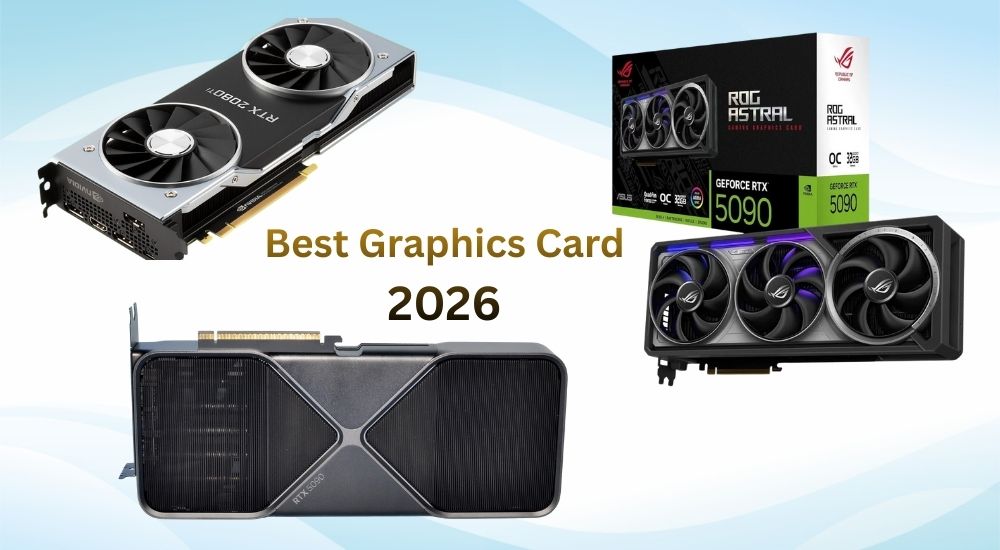
Best Graphics Cards 2026 – Quick Comparison
| GPU Model | Best For | VRAM | Power Efficiency | Price Range |
|---|---|---|---|---|
| RTX 5090 | Ultimate gaming & AI | 32GB | Excellent | $$$$ |
| RTX 5080 | High-end gaming | 20GB | Very Good | $$$ |
| RX 9070 XT | Value & raster gaming | 20GB | Good | $$ |
| RTX 5070 | 1440p & AI workloads | 16GB | Excellent | $$ |
| Intel Arc Battlemage | Budget gaming | 12GB | Good | $ |
Best Overall Graphics Card 2026
NVIDIA GeForce RTX 5090
Key Features:
- Next-gen ray tracing cores.
- Massive 32GB GDDR7 VRAM.
- Industry-leading AI acceleration.
- Excellent 4K and 8K gaming performance.

The NVIDIA GeForce RTX 5090 represents the pinnacle of consumer graphics technology, built on the latest Blackwell architecture. It delivers unprecedented performance for 4K and 8K gaming, AI-accelerated workflows, and professional content creation. With massive VRAM capacity, advanced ray tracing cores, and DLSS 4 technology, it handles the most demanding games and applications effortlessly. While extremely powerful and expensive, it’s designed for enthusiasts seeking maximum performance, future-proofing their systems for years of cutting-edge gaming and creative work.
Best For:
- Hardcore gamers
- AI & deep learning workloads
- Professional video editing and rendering
Downside: Expensive and requires a high-wattage PSU.
Best High-End Gaming GPU
RTX 5080

The RTX 5080 delivers flagship-level performance for demanding gamers and creators without the premium price tag. Powered by Blackwell architecture, it handles 4K gaming smoothly with advanced ray tracing and DLSS 4 technology. Its generous VRAM ensures excellent performance in modern titles and professional workflows like video editing and 3D rendering. This card represents the sweet spot in NVIDIA’s lineup—offering near-top-tier capabilities at a significantly lower cost than the 5090, making it the smart choice for enthusiasts seeking maximum value and future-proofing.
Why It’s Great:
- Near-flagship performance.
- Lower power consumption than RTX 5090.
- Ideal for ultra-settings gaming.
This GPU is perfect for gamers who want premium performance without going all-in.
Best AMD Graphics Card 2026
Radeon RX 9070 XT
Highlights:
- Excellent rasterisation performance.
- Competitive pricing.
- Strong 1440p and 4K gaming.
- Generous VRAM for future-proofing.

The Radeon RX 9070 XT is AMD’s competitive high-performance offering built on RDNA 4 architecture. It delivers strong 4K gaming capabilities with excellent rasterisation performance and improved ray tracing over previous generations. With substantial VRAM and AMD’s latest upscaling technology, it handles modern titles efficiently while offering compelling value compared to NVIDIA alternatives. The card excels in both gaming and content creation workflows, particularly benefiting users in AMD ecosystems. It’s an attractive choice for enthusiasts seeking high-end performance without paying premium prices, especially for non-ray-traced gaming scenarios.
Best For:
- Gamers prioritise raw performance.
- Budget-conscious buyers.
- Systems without heavy ray tracing needs.
Best GPU for AI & Machine Learning
RTX 5090
Key Features:
- Exceptional ray tracing and AI acceleration.
- Massive VRAM for demanding workloads.
- Ultimate 8K gaming performance capability.
- Advanced Blackwell architecture with efficiency.
The RTX 5090 is the ultimate GPU for AI and machine learning workloads, featuring massive VRAM capacity and powerful tensor cores optimised for deep learning. Its exceptional computational power accelerates model training, inference, and large dataset processing dramatically. With support for frameworks like TensorFlow and PyTorch, plus NVIDIA’s CUDA ecosystem, it handles complex neural networks effortlessly. While expensive, it’s ideal for researchers, data scientists, and AI developers working with large language models, computer vision, or demanding projects requiring maximum performance and memory capacity.
Best For:
- 8K gaming and ultra-high refresh rate 4K gaming.
- Professional 3D rendering and animation.
- AI and machine learning development.
- High-resolution video editing and production.
Best Mid-Range Graphics Card
RTX 5070
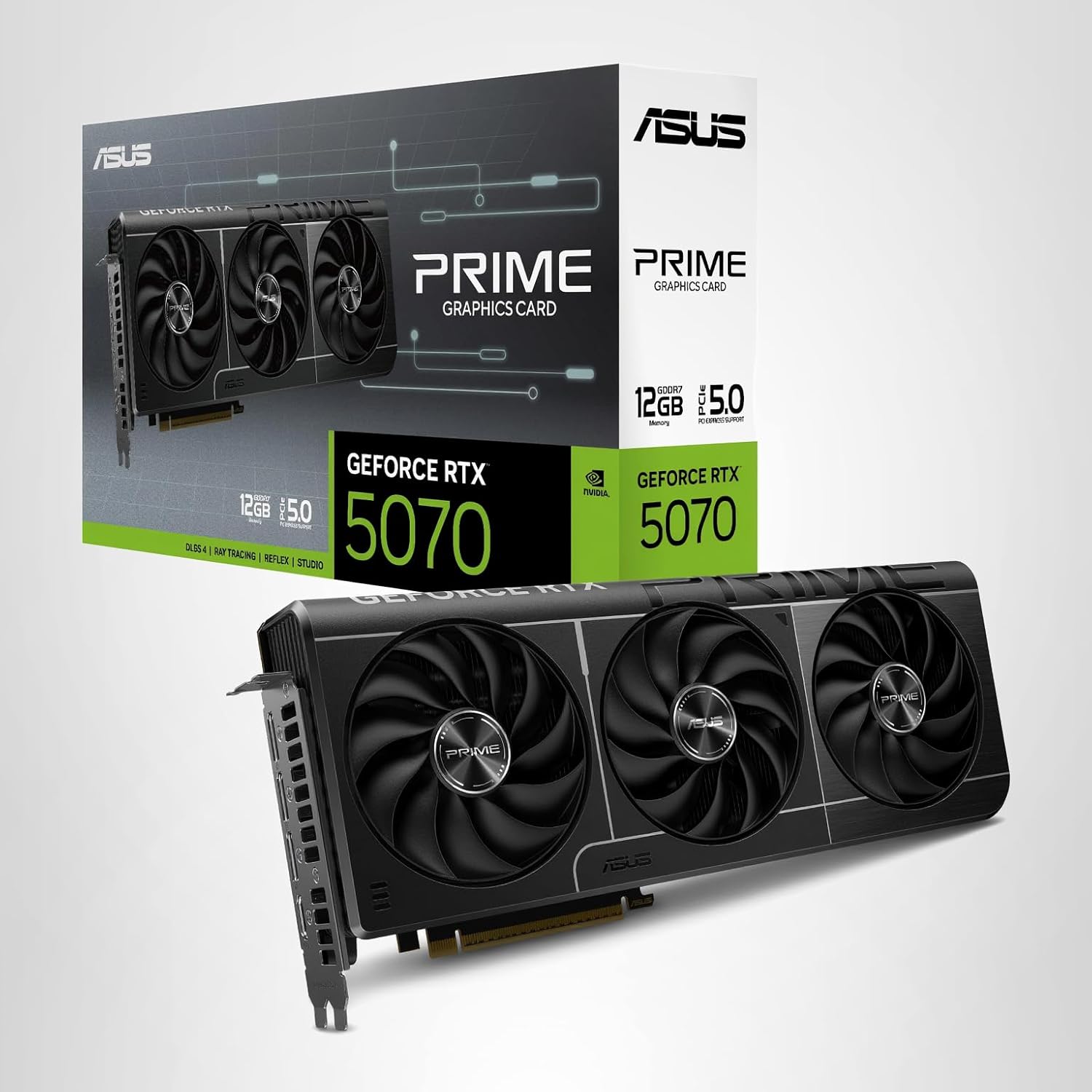
If you’re working with PyTorch, TensorFlow, or Stable Diffusion, NVIDIA GPUs offer the best compatibility. The RTX 5070 provides excellent entry-level AI and machine learning performance for developers and enthusiasts on a budget. With capable tensor cores and sufficient VRAM, it handles smaller models, experimentation, and learning projects effectively. It supports popular frameworks like TensorFlow and PyTorch through NVIDIA’s CUDA ecosystem, making it accessible for students, hobbyists, and small-scale projects. While not suited for massive datasets or enterprise workloads, it offers impressive performance-per-dollar for prototyping, fine-tuning pre-trained models, and educational purposes, making AI development accessible without breaking the bank.
Best For:
- 1440p gaming at high refresh rates.
- Entry-level AI work.
- Content creation and streaming.
This GPU offers long-term value and excellent efficiency.
Best Budget Graphics Card 2026
Intel Arc Battlemage

Intel’s latest Arc GPUs have matured significantly. The Battlemage series delivers impressive performance for budget buyers. Intel Arc Battlemage represents Intel’s second-generation discrete GPU architecture, showing significant improvements over the original Alchemist lineup. With enhanced performance, better driver stability, and competitive pricing, Battlemage targets the mid-range market effectively. These cards offer solid 1080p and 1440p gaming performance with modern features like ray tracing and AI upscaling. While still building market presence against NVIDIA and AMD, Intel’s aggressive pricing and improving software support make Battlemage an intriguing option for budget-conscious gamers willing to embrace Intel’s evolving GPU ecosystem and ongoing optimisation efforts.
Pros:
- Affordable pricing.
- Strong DirectX 12 performance.
- Good driver improvements.
- Great for 1080p gaming.
Cons:
- Weaker ray tracing.
- Smaller software ecosystem.
GPU Buying Guide
How to Choose the Best Graphics Card in 2026
Choosing the right graphics card can feel overwhelming with so many options, but breaking down your needs makes the decision much clearer.
1: Start with Your Primary Use Case
Your main activity determines everything else. Gaming requires different specs than video editing, 3D rendering, or AI development. Casual gamers playing esports titles like Valorant or CS2 need far less power than someone rendering 4K video or playing AAA titles at maximum settings. Identify your primary use first, then build around it.
2: Match Your Monitor Resolution and Refresh Rate
Your GPU should align with your display capabilities. A 1080p 60Hz monitor doesn’t need a high-end card, while a 4K 144Hz monitor demands serious horsepower. There’s no point buying an RTX 5090 for 1080p gaming, just as a budget card will struggle with 1440p high-refresh gaming. Your monitor is the performance target your GPU needs to hit.
3: Consider Your Budget Realistically
GPUs range from under $200 to over $2,000. Set a realistic budget that includes potential upgrades to your power supply or cooling system. Remember that the best GPU is the one that meets your needs without breaking the bank. Mid-range cards often offer the best performance-per-dollar, while flagship models provide diminishing returns unless you truly need that extra power.
4: Check VRAM Requirements
Video memory matters increasingly for modern games and professional work. 8GB is the minimum for 1080p gaming today, 12GB suits 1440p well, and 16GB or more is ideal for 4K or professional applications. Games and software are using more VRAM each year, so having extra headroom helps with longevity.
5: Evaluate Ray Tracing and Upscaling Technology
Ray tracing creates realistic lighting but demands GPU power. NVIDIA’s DLSS and AMD’s FSR use AI upscaling to boost performance while maintaining visual quality. If you want ray tracing in games or need AI features for work, prioritise newer cards with dedicated ray tracing cores and the latest upscaling technology.
6: Think About Power and Thermal Requirements
High-end GPUs draw significant power and generate substantial heat. Check if your power supply has enough wattage and the proper connectors. Ensure your case has adequate airflow and space for the card’s length and width. A powerful GPU in a poorly ventilated case will throttle performance and potentially damage components.
7: Plan for Future-Proofing
Games and software become more demanding over time. Buying slightly above your current needs extends your GPU’s useful life. A card that crushes today’s games at your target settings will handle tomorrow’s titles at reasonable settings. However, don’t overspend dramatically on future-proofing—technology advances quickly, and sometimes upgrading sooner makes more financial sense.
8: Compare Brand Ecosystems
NVIDIA dominates in ray tracing, DLSS technology, and AI workloads through CUDA support. AMD often provides better value and excellent rasterisation performance, with growing ray tracing capabilities. Intel’s Arc cards are emerging as budget-friendly options. Your software preferences might favour one ecosystem—video editors using DaVinci Resolve, for instance, may benefit from specific GPU optimisations.
9: Research Specific Models and Reviews
Once you’ve narrowed down to a GPU tier, compare specific manufacturer models. ASUS, MSI, Gigabyte, and others offer different cooling solutions, factory overclocks, and warranty terms for the same GPU chip. Professional reviews reveal real-world performance, thermals, and noise levels that specifications alone won’t show.
10: Don’t Forget the Used Market
Previous-generation cards often provide excellent value when new models launch. A used RTX 4080 might cost less than a new RTX 5070 while offering similar or better performance. Just verify the card’s condition, remaining warranty, and that it wasn’t used for intensive cryptocurrency mining.
GPU Trends to Watch in 2026
The graphics card landscape is evolving rapidly, with several major trends reshaping how we think about GPU technology and performance.
1: AI Integration Becomes Standard
AI features are no longer optional extras but core GPU functionality. NVIDIA’s DLSS 4, AMD’s FSR advancements, and Intel’s XeSS continue pushing AI-powered upscaling and frame generation to new heights. Beyond gaming, AI acceleration is transforming content creation, with real-time video enhancement, automated editing assistance, and neural rendering becoming mainstream. Expect GPUs to dedicate increasing silicon area to tensor cores and AI accelerators as these workloads become central to both consumer and professional use cases.
2: The Push Toward 8K Gaming
While 4K remains the sweet spot for most gamers, 8K is transitioning from aspirational to achievable with flagship GPUs like the RTX 5090. Display technology is catching up with more affordable 8K monitors arriving, and game engines are optimising for ultra-high resolutions. However, the real story is how upscaling technology makes 8K accessible—rendering at lower resolutions and using AI to reconstruct 8K output means you don’t need absurd hardware to enjoy sharper visuals.
3: Power Efficiency Takes Centre Stage
GPU power consumption has been climbing for years, but we’re seeing a correction. The latest architectures from NVIDIA’s Blackwell and AMD’s RDNA 4 focus heavily on performance-per-watt improvements. With energy costs rising globally and environmental concerns mounting, manufacturers are prioritising efficiency alongside raw performance. Expect to see more emphasis on idle power consumption, better power management features, and GPUs that deliver more frames without requiring massive power supplies.
4: Ray Tracing Goes Mainstream
Path tracing and advanced ray tracing effects are no longer exclusive to high-end cards. Mid-range GPUs now handle ray tracing competently, and game developers are designing with these features as standard rather than premium options. The technology has matured to the point where the performance hit is manageable with upscaling, making realistic lighting accessible to more gamers. This shift is fundamentally changing how games look and how developers approach visual design.
5: Chiplet Architectures Emerge
Following AMD’s success with chiplet designs in CPUs, GPU manufacturers are exploring modular approaches. Breaking GPUs into specialised chiplets—compute, memory controllers, display engines—allows better yields, easier scaling across product lines, and potentially lower costs. While still emerging, this trend could revolutionise how GPUs are designed and manufactured over the next few years.
6: The Memory Bandwidth Race
VRAM capacity matters, but bandwidth is becoming equally critical. High-resolution textures, ray tracing data, and AI workloads demand faster memory access. We’re seeing wider memory buses, faster GDDR7 memory, and exploration of HBM (High Bandwidth Memory) in consumer cards. The gap between GPU compute power and memory bandwidth is narrowing, enabling better utilisation of processing capabilities.
7: Cloud Gaming Influence on Hardware
Services like GeForce NOW and Xbox Cloud Gaming are maturing, but rather than replacing local GPUs, they’re influencing design priorities. Manufacturers are optimising for both local rendering and efficient game streaming encoding. Features like hardware-accelerated AV1 encoding are becoming standard, benefiting streamers and content creators while supporting cloud gaming infrastructure.
8: Professional and Gaming Convergence
The line between gaming and professional GPUs is blurring. Gaming cards now handle content creation admirably, while professional features trickle down to consumer hardware. Creators who game and gamers who create don’t need separate systems anymore. This convergence is pushing manufacturers to optimise for diverse workloads in a single product.
9: Competitive Pricing Pressure Returns
After years of inflated prices due to crypto mining, supply chain issues, and high demand, the market is stabilising. Increased competition from AMD and Intel’s Arc lineup is forcing NVIDIA to reconsider pricing strategies. While flagship cards remain expensive, mid-range options are offering better value, and we’re seeing more options at every price point. This trend benefits consumers significantly.
10: Neural Rendering and Real-Time Generation
Beyond upscaling, GPUs are enabling real-time neural rendering techniques that generate textures, geometry, and effects on the fly using AI. This reduces game file sizes while increasing visual variety and detail. Procedural generation guided by neural networks could transform how game worlds are created and experienced, with GPUs doing computational work rather than just displaying pre-made assets.
11: Sustainability and Repairability Focus
Environmental concerns are influencing GPU design. Manufacturers are exploring recyclable materials, reducing packaging waste, and designing for longer product lifecycles. There’s growing pressure for better repairability and firmware support that extends card usability. While still early, this trend reflects broader industry shifts toward sustainability.
12: Advanced Cooling Solutions
As GPUs pack more power into similar or smaller spaces, cooling innovation accelerates. Vapour chambers, hybrid air-liquid designs, and even integrated AIO (All-In-One) water cooling solutions are becoming common on high-end cards. Better thermal management enables sustained performance and quieter operation, addressing longstanding complaints about GPU noise and heat.
The GPU market in 2026 is characterised by rapid innovation across multiple fronts. While raw performance continues improving, the focus has expanded to efficiency, AI integration, and versatility. These trends suggest a future where GPUs are more capable, accessible, and central to computing than ever before, whether you’re gaming, creating content, or developing the next generation of AI applications.
Conclusion
In conclusion, the GPU landscape in 2026 is marked by significant advancements and competition, primarily led by NVIDIA, AMD, and Intel. The focus extends beyond gaming to AI and creative work, with features like ray tracing, AI-driven upscaling, and efficient power consumption at the forefront. The top choices for consumers range from high-end models like the NVIDIA GeForce RTX 5090 to budget-friendly options such as the Intel Arc Battlemage. Selecting the right GPU requires understanding personal needs, such as gaming, content creation, or AI tasks, and weighing factors like performance, price, and future-proofing. Innovation trends like AI integration, 8K gaming, and chiplet architectures are driving the industry forward, promising an exciting future for both consumers and professionals.
People Also Ask
1. What is the best graphics card in 2026?
The best graphics card in 2026 is the NVIDIA GeForce RTX 5090, offering top-tier performance for gaming, AI workloads, and professional content creation with advanced ray tracing and AI acceleration.
2. Which graphics card is best for gaming in 2026?
For gaming, the RTX 5080 is one of the best choices in 2026, delivering smooth 4K performance, excellent ray tracing, and AI-powered upscaling at a more affordable price than flagship GPUs.
3. What is the best budget graphics card in 2026?
The Intel Arc Battlemage series is among the best budget graphics cards in 2026, offering strong 1080p gaming performance, improved drivers, and competitive pricing for entry-level PC builds.
4. How much VRAM do I need for a graphics card in 2026?
In 2026, 16GB of VRAM is ideal for modern gaming and content creation, while 20GB or more is recommended for 4K gaming, AI workloads, and professional applications.
5. Is NVIDIA or AMD better for graphics cards in 2026?
NVIDIA leads in ray tracing and AI features, while AMD offers better price-to-performance in traditional gaming. The best choice in 2026 depends on your budget and whether you prioritise AI or raw gaming performance.
Last Updated on 16 January 2026 by Ansa Imran

Ansa Imran, a writer, excels in creating insightful content about technology and gaming. Her articles, known for their clarity and depth, help demystify complex tech topics for a broad audience. Ansa’s work showcases her passion for the latest tech trends and her ability to engage readers with informative, well-researched pieces.